Accessing NYCSA
Sign up for an account and add students
You can sign up for an account by entering a few basic details. This will allow you to begin receiving notifications from NYCPS. It only takes five minutes, and it is the first step in getting a full account. Review the NYCSA Setup Guide for detailed information about setting up an account.
You must add students to your account to see more detailed information. Once you have done this, you can enjoy all the benefits NYCSA provides.
If you do not have a creation code, or the school did not send you a letter about NYCSA, you will have to register in-person or teleconference into a school. Use the Find a School tool to get your child’s school’s contact and location information.
- To register at school, bring a valid photo ID (like your passport, driver’s license, or IDNYC) and your child’s nine-digit student ID number, which can be found on your child’s report card.
- To register over teleconference, your child's school will verify you or your child's identity by voice or sight.
You can add other students to your account as well, using the same process as above.
Changes to NYCSA Access and DOE Messaging Notifications
As of October 27, 2026, NYCSA access and permissions and DOE Messaging communications are based on whether you are identified in NYCPS systems as your child’s parent/guardian, regardless of your custodial status or where your child primarily lives. As a result:
- Parents who already have NYCSA access and are "custodial parents" will not experience any changes.
- Parents who currently have NYCSA access and are “non-custodial parents" will gain access to additional information about their child (such as the list of emergency contacts).
- All parents identified in NYCPS systems who do not already have NYCSA access can open an account immediately. There is no longer a 45-day waiting period for non-custodial parents.
- All parents identified in NYCPS systems, regardless of custodial status, will receive communications through the DOE Messaging App unless you are a restricted parent. There is no change for “custodial parents.” “Non-custodial parents” will now receive communications through the DOE Messaging App.
If there is a court order or order of protection against your child’s other parent, please provide a copy to your child’s school at the start of the school year and whenever the order is extended or updated. NYCSA will display a “Restricted Access” or “Limited Access” flag in the Guardian and Emergency Contact pages once the order is saved in NYCPS systems.
Restricted Parents (parents with court orders or an order of protection that limits their access to their child and education records) must contact the school to create a NYCSA account.
Once the school confirms with your child’s custodial parent or guardian that they have the most up-to-date order of protection on file, Restricted Parents will be able to create a NYCSA with limited access to information based on the order of protection in our systems. For example, most Restricted Parents will be able to see their child’s academic information, but not their contact information.
Sharing
Access
You can invite other adults—like relatives or a tutor—to see information about your child on NYCSA. Some of the information on NYCSA is private, so be careful about who you invite.
To invite someone to NYCSA, log in to your account and click on Manage Account and select “User Access” to send an invitation to that adult’s email address. They will be prompted to enter your child’s nine-digit student ID and an Account Creation Code.
If you were invited to access NYCSA and suddenly see less information than you are used to, it means someone changed your access.
NYCSA Mobile App
Download the NYC Schools Account mobile application in the Google Play Store or Apple App Store. Additional information about the application can be found at the NYCSA Mobile Application page.
What can you do with a NYC Schools Account?
Use MyStudent to Track your Student’s Academic Progress
Did you know that you can track your child’s education on any computer, phone, or tablet? In MyStudent, you can view their grades, schedule, test scores, transportation, attendance, and more! If your student has an Individualized Education Program (IEP), you can view their recommended services.
You must be linked to a student to view this information. See "Sign up for an account and add students" to learn how to link your student to your account.
Accessing Student Grades
Step 1: Go to NYCSA and sign into your account.
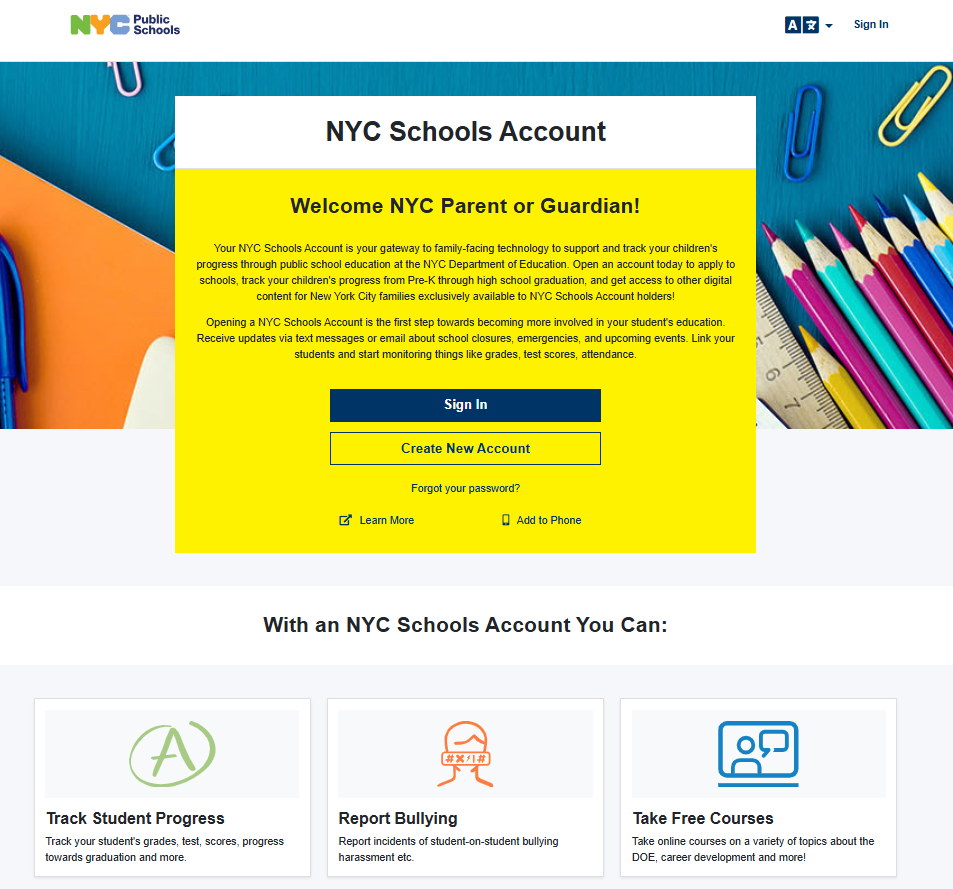
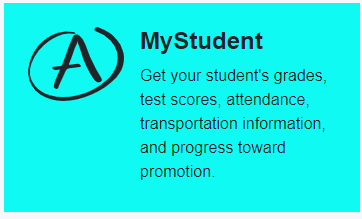
Step 2: Click on the MyStudent card on the top left of your screen.
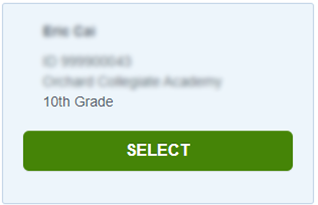
Step 3: Click the “SELECT” button below the name of the student to continue.
Step 4: Select the Grades or Assignments tile at the top of the page.
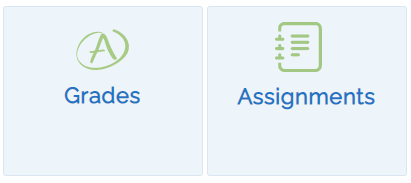
- In the Grades tile, you will find past and current grades for their courses and report cards.
- In the Assignments tile, you will find a complete list of your child's assignments. In addition, if your child's schools is using the NYCPS Grades application you can view their grades for each assignment once the teacher for that course releases the grades for parent/student view.
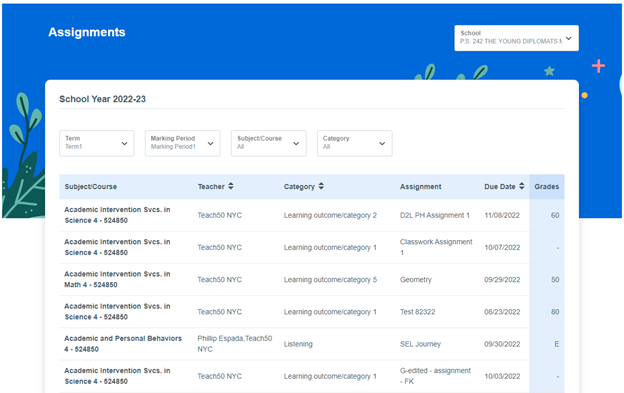
You can narrow your view by selecting one of the 4 pull down menus at the top of the view:
- Term
- Marking Period
- Subject/Course
- Category
Access Forms
NYCSA now allows you to submit digital versions of paper forms directly. Using technology powered by Docusign, you can fill out and sign a digital form that will be made immediately available to your school. You will no longer need to submit paper versions of these forms to your school. NYCSA currently hosts the following forms:
- Media Consent for NYC Department of Education Use
- Request to Identify Parents on Active Duty in the Armed Forces
- Digital Equity Family Questionnaire
- Student Ethnic and Race Identification Form
- Housing Questionnaire
- Military Recruitment Opt Out
- NYC School Bus Survey
More forms will be added soon!
Reset Your Child’s NYCPS Account Passwords
You can reset your student’s NYCPS Account password easily by following these instructions:
- Click on Settings.
- Click on Student Password.
- Select the child whose password you want to update.
- Enter a new password. Your password must:
- Contain between 8–32 characters.
- Contain at least one number (0–9).
- Contain at least one lowercase letter (a–z).
- Contain at least one uppercase letter (A–Z).
- Retype the new password.
- Click on Save.
- That’s it! Your password has been reset.
Update Your Contact Information
If you are a parent or guardian who lives with your child, you can update your own home, cell, and work phone numbers and email address of yourself or other additional adults on your NYC Schools Account.
Take Classes through Parent University
Parent University offers training, coaching, and other resources for families to help you learn and become an advocate for the educational success of your children. You can earn certificates for the courses and modules you complete.
Connect with parent leaders at your school
Want to opt-in to receive communications from your school, district, and/or citywide parent leader volunteers? Go to “Manage Account” and select "Stay Connected" to begin receiving messages from your parent leaders.
Security
The information stored in NYCSA is secured and protected by 128-bit SSL encryption. Information about your child is protected under the Family Educational Rights and Privacy Act (FERPA).
Contact Us
If you have questions about your child’s NYCSA, contact your child’s school or call 311. You can also use the "Suggestions” feature on the bottom of each page once you are signed into NYCSA.